
Every day, 8.5 billion searches are processed by Google. For your website to appear in those results — and more importantly, for people to click your link instead of your competitor's — you need to master SEO Meta Tags.
Meta tags are invisible snippets of HTML code that live inside your page's <head> section. They don't appear on the page itself, but they are the single most important signal you send to search engines and social media platforms about your content. In this comprehensive guide, we will cover every type of meta tag that matters in 2026 — and show you how to generate perfect code for all of them in seconds using our free tool.
What Are SEO Meta Tags?
SEO meta tags are HTML attributes that provide structured metadata about a web page. While some are read by search engine crawlers like Googlebot, others are specifically designed for social media platforms (Open Graph) or browser behavior (robots). They do not appear visually on your page — they work entirely behind the scenes.
Here is a simple example of what a full set of meta tags looks like in your HTML:
<head>
  <title>Free SEO Tools for Developers | Pixel Precision Web</title>
  <meta name="description" content="Generate meta tags, compress images, and pick colors with our free, privacy-first browser tools." />
  <meta property="og:title" content="Free SEO Tools for Developers" />
  <meta property="og:description" content="100% client-side tools. Your data never leaves your browser." />
  <meta property="og:image" content="https://yoursite.com/assets/og-image.jpg" />
  <meta name="twitter:card" content="summary_large_image" />
</head>
1. The Title Tag: Your #1 Ranking Factor
The Title Tag is the large blue clickable link that appears in Google Search results. It is universally recognized as the single most important on-page SEO element. Every page on your website must have a unique, descriptive title tag.
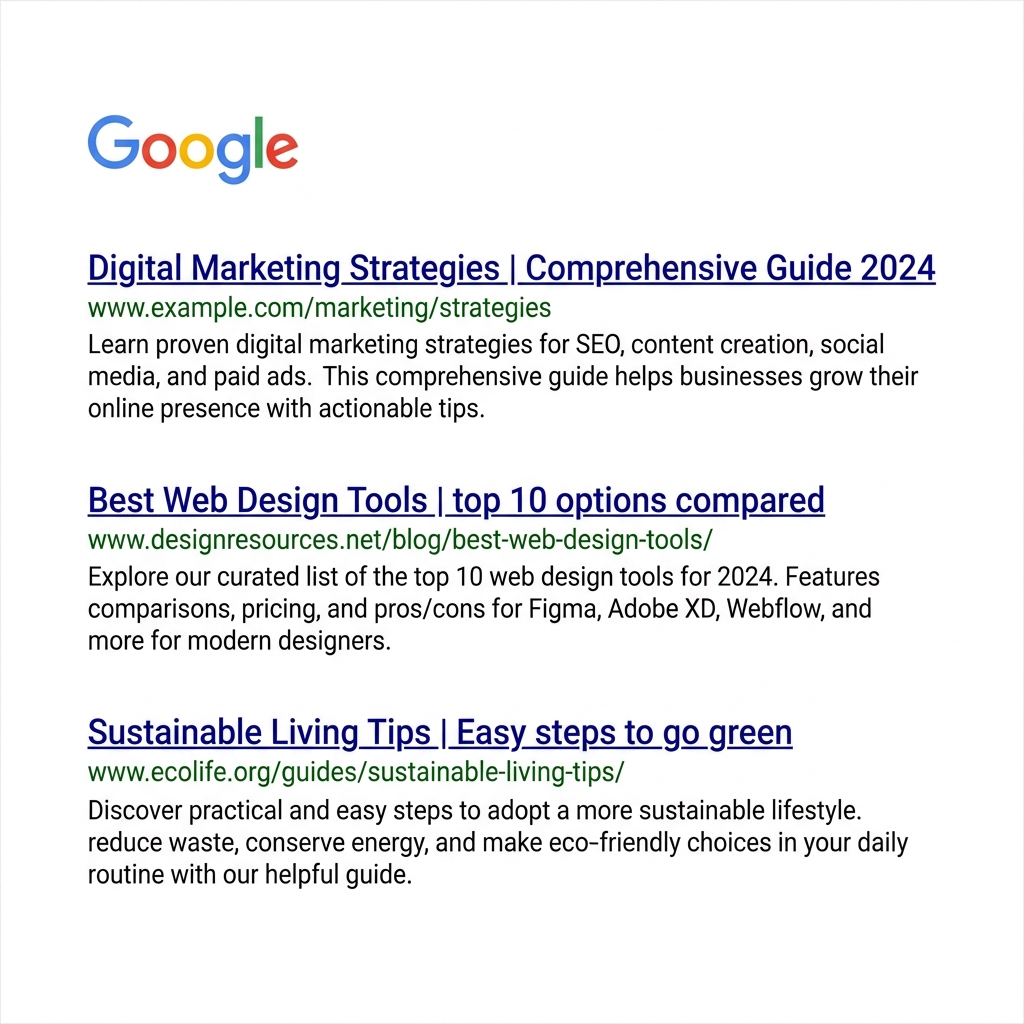
Above: exactly how your Title Tag appears in Google's Search Engine Results Pages (SERPs). Notice how the title is the dominant element that users read first to decide whether to click.
Title Tag Best Practices for 2026
| Rule | Recommendation | Why It Matters |
|---|---|---|
| Length | 50–60 characters max | Prevents Google from truncating with "..." |
| Keyword Position | Primary keyword first | Signals immediate relevance to crawlers |
| Branding | Add " | Brand Name" at the end | Builds brand recognition in SERPs |
| Uniqueness | 100% unique per page | Duplicate titles confuse Google's indexer |
| Power Words | Use "Free", "Guide", "2026", "How to" | Proven to increase click-through rates |
2. The Meta Description: Your Organic Ad Copy
The Meta Description is the short paragraph of grey text beneath the blue title link in Google Search. While Google has officially stated it is not a direct algorithmic ranking factor, it is an enormous influence on whether users actually click your link.
Think of it as your free, organic advertising space on Google. A well-written meta description that includes a clear benefit and a Call-to-Action (CTA) can double your CTR without spending a single rupee on ads.
The Formula for a Perfect Meta Description
[Primary Keyword] + [Clear Benefit] + [Call to Action]

Example:
"Use our free SEO Meta Tag Generator to create perfect title tags,
 meta descriptions, and Open Graph cards. Live social previews included.
 Try it free today — no sign-up needed."
3. Open Graph Tags: Mastering Social Media Sharing
Have you ever pasted a link into WhatsApp, LinkedIn, or Twitter/X and noticed a beautiful image card appeared automatically? That is the magic of Open Graph (OG) Tags. Developed by Facebook in 2010, they are now the universal standard for link previews across virtually every platform.
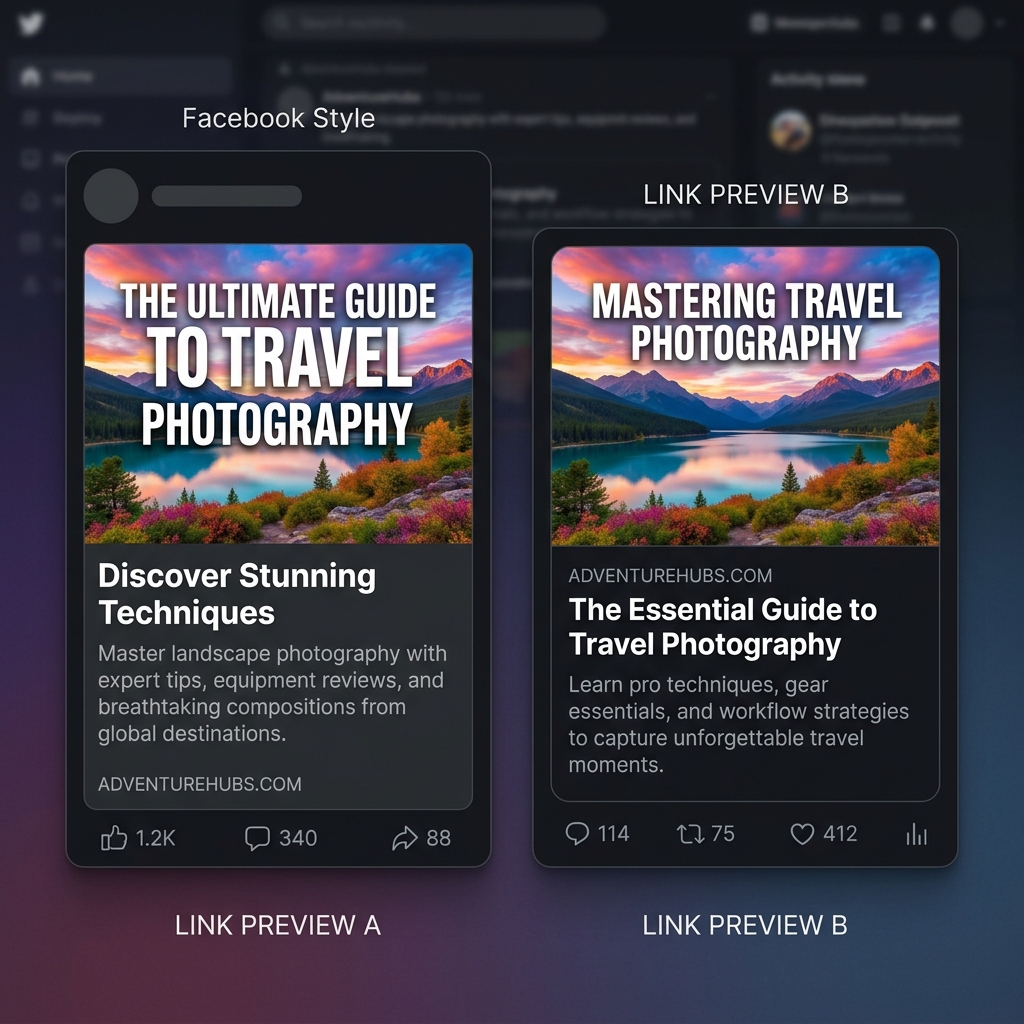
Above: the difference between a link shared without Open Graph tags (left — a plain, unformatted URL) versus a link shared with proper OG tags (right — a rich, branded card with image). Which would you click?
The 4 Essential Open Graph Tags
| Tag | Example Value | Notes |
|---|---|---|
og:title | "Free SEO Tools Suite" | Can differ from your SEO title — optimize for social sharing |
og:description | "7 free, privacy-first tools..." | Keep under 200 characters |
og:image | "https://site.com/assets/og.jpg" | Must be 1200×630px for best results |
og:url | "https://site.com/page/" | Always use the canonical URL |
4. Twitter Card Tags
Although Twitter/X reads Open Graph tags, it also has its own proprietary system called Twitter Cards. The most important tag is twitter:card, which tells Twitter how to display your link.
<meta name="twitter:card" content="summary_large_image" />
<meta name="twitter:title" content="Your Page Title" />
<meta name="twitter:description" content="Your description here." />
Use summary_large_image to display a large, full-width banner image. This is the format that gets the most engagement and retweets.
5. The Robots Meta Tag
The robots meta tag tells search engine crawlers exactly what they are allowed to do with your page. For 99% of pages, you want full indexing and link-following:
<meta name="robots" content="index, follow" />
But for pages like admin dashboards, thank-you pages, or duplicate content pages, you must block crawlers to prevent SEO penalties:
<!-- Block this page from being indexed -->
<meta name="robots" content="noindex, nofollow" />
🚀 Stop Writing Meta Tags by Hand
Our free Meta Tag Generator lets you fill in a simple form and instantly see live previews of exactly how your page will look on Google, Facebook, and Twitter — before you publish a single line of code.
Use the Free Meta Tag Generator →Step-by-Step: How to Use the Meta Tag Generator
Enter Your Website Details
Click the ✨ sparkle icon at the top of the tool and enter your website name and a one-sentence description of your niche. The tool will instantly generate optimized title and description suggestions using proven SEO formulas.
Watch the Live Character Counters
Below each input field, a live character counter tracks your progress. The counter turns yellow as you approach the limit and red when you exceed it. Keep your Title under 60 characters and Description under 160 characters.
Add a Social Media Preview Image
Click "Choose File" to upload your Open Graph image. Since our tool is 100% client-side, your file is never sent to any server — it only renders locally in your browser tab for the preview. Complete privacy, zero uploads.
See Exactly How It Looks on Every Platform
Click between the Google, Facebook, and Twitter/X tabs on the right side. You will see a pixel-accurate simulation of how your page will appear when someone searches for it or shares a link to it.
One-Click Copy to Your Clipboard
When satisfied with the previews, scroll to the Generated Code panel at the bottom. Click "Copy Code" to copy the complete, ready-to-use HTML snippet. Paste it directly into the <head> section of your HTML file.
Common Meta Tag Mistakes That Kill Your SEO
- Duplicate titles across pages: Every page needs its own unique title tag. Using the same title on 10 pages causes Google to lose confidence in which page to rank.
- Missing meta descriptions: If you leave the description blank, Google will auto-generate one from random text on your page — often producing a poor, unoptimized snippet.
- Forgetting og:image dimensions: An og:image smaller than 600×315px will not display as a large card on Facebook. Always use 1200×630px.
- Keyword stuffing in titles: Titles like "Cheap Web Design | Affordable Web Design | Best Web Design India" are flagged as spam by Google's algorithms.
- Not updating meta tags on page rewrites: If you update your page content, always revisit and update the meta tags to match the new content focus.
Frequently Asked Questions
Do meta keywords still matter for SEO in 2026?
No. Google officially stopped using the meta name="keywords" tag as a ranking signal in 2009. Bing and other search engines also largely ignore it today. Do not waste time on it — focus entirely on the Title Tag and Meta Description instead.
Why does Google sometimes override my meta description?
Google rewrites meta descriptions in approximately 63% of search results according to Ahrefs research. They do this when their algorithm believes the auto-generated snippet better matches the user's specific search query. To minimize this, ensure your description accurately reflects your page's main content and naturally includes your target keywords.
Can I have different titles for SEO and social media?
Absolutely — and you often should. Your HTML <title> tag is optimized for Google (keyword-first, short). Your og:title can be more engaging and conversational, optimized for social sharing (benefit-first, emotional hook). Our tool lets you set both independently.
How long does it take for Google to show my updated meta tags?
It depends on how frequently Googlebot crawls your site. For a new site, it can take 1–4 weeks. For an established site with regular content updates, changes typically appear within 1–7 days. You can accelerate crawling by submitting your updated URL in Google Search Console using the "Request Indexing" feature.